
Expense report templatesbusiness travel expense report template
Business Travel Expense Report Template
Use this business travel expense report template to turn trip receipts, mileage, foreign-currency expenses, approvals, and notes into a structured reimbursement sheet.
Format
XLSX
Category
Travel
Use
Download or fill
Business travel expense report
Built-in template
Real sample
Business travel receipts become reimbursement review rows.
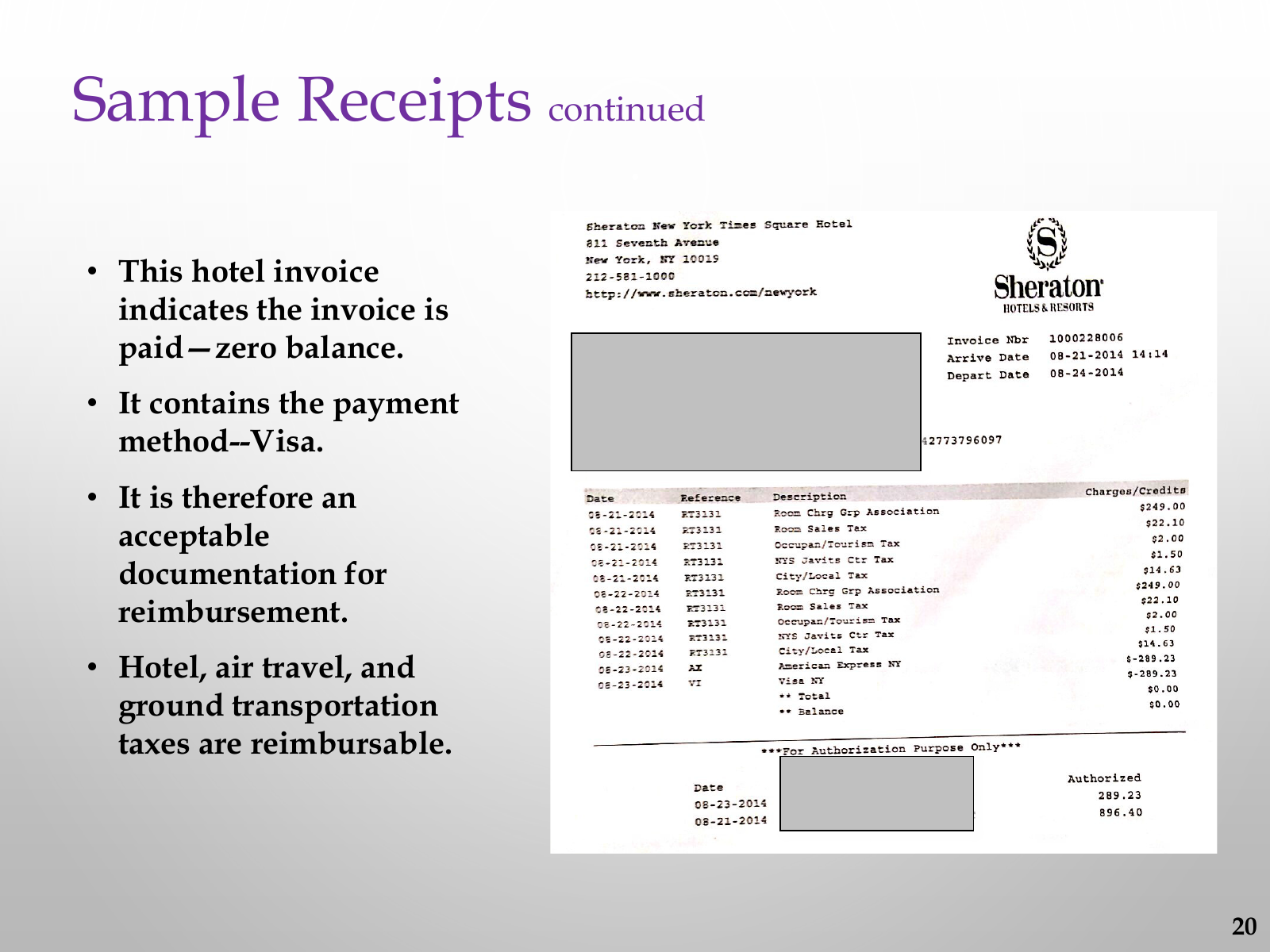
This proof uses public Northwestern COFO sample receipt pages. The runner normalized hotel invoice charges, payment credits, meal receipt lines, a non-itemized card receipt, and policy review notes into reimbursement rows before the business-travel workbook is filled.
Source pages
3
Review rows
26
Hotel invoice rows
13
Manual review rows
4
What this source proves
The sample shows the visible fields, row order, totals, and review boundaries used by the filled result. Hidden business facts stay out of the output.
Business Travel Expense Report Template proof
Download CSVSource-backed review behavior
Visible evidence is mapped, follow-up fields stay inspectable, and missing business values stay blank instead of being guessed.
| business travel evidence | workbook-fill behavior | review boundary |
|---|---|---|
| Paid hotel invoice | Room charges, tax rows, zero balance, and Visa payment proof are separated before workbook fill. | Hotel tax support is visible, but reimbursement approval and trip purpose are not guessed. |
| Itemized meal receipt | Meal line items keep vendor, address, phone, purchase time, quantities, amounts, and payment proof. | The meal-purpose requirement remains a review note, not an approval decision. |
| Non-itemized card receipt | Tip, subtotal, total paid, and card approval are preserved for reviewer context. | The source says an itemized receipt is required, so it stays not_auto_approved. |
| unsupported fields | blank | No employee ID, department, manager, conference, airfare, mileage, exchange rate, approver, or hidden redacted data is invented. |
Fill this template
Turn messy expense files into this workbook.
Upload receipts, PDFs, screenshots, or pasted notes. The template mode is already attached to Business travel expense report.
Business Travel Expense Report Template
Upload receipts or paste expense notes. The selected template is already attached.
What is included
An Excel layout for business travel expense report template.
Download the blank template, or use it as the target shape when Messy2Sheet turns messy receipts, PDFs, screenshots, emails, and pasted expense notes into a structured workbook.
General information: name, department, position, manager, employee ID, purpose, authorized by, date submitted, per mile reimbursement, and total reimbursement due
Travel expense rows with date and description
Airfare, lodging, ground transportation, meals and tips, conferences and seminars
Miles and mileage reimbursement
Miscellaneous costs, currency exchange rate, expense currency, and total
Approval and notes sections
More templates
View all templatesOther expense report templates


FAQ
Questions
What is an expense report template?
An expense report template is a spreadsheet layout for reimbursement rows such as date, claimant, category, vendor, amount, receipt number, payment method, and notes.
Can I fill the template from receipts or screenshots?
Yes. Upload receipts, screenshots, PDFs, or pasted expense notes and Messy2Sheet will try to fill the selected Excel template with structured rows.
Can I download the expense report template?
Yes. The built-in templates are downloadable XLSX files. You can also use them directly with your uploaded files.
Can I use my own company expense report format?
Yes. In the template mode, upload your own CSV or XLSX template and use it as the target shape for the generated spreadsheet.