Good source inputs
Supplier price lists
Stock count sheets
Cycle count CSVs
Warehouse notes
Product catalogs
Messy SKU exports
Download a clean XLSX inventory list, or fill it from supplier lists, stock counts, SKU notes, CSV exports, PDFs, screenshots, and messy warehouse data.

The workbook includes an Inventory List sheet, Import Review sheet, Dropdowns sheet, and Instructions sheet.
This proof uses a public Cycle Count Manager inventory list. The source has one row per location; Messy2Sheet groups it into one row per SKU, keeps source locations visible, and marks SKU-RED for review because it appears in three locations.
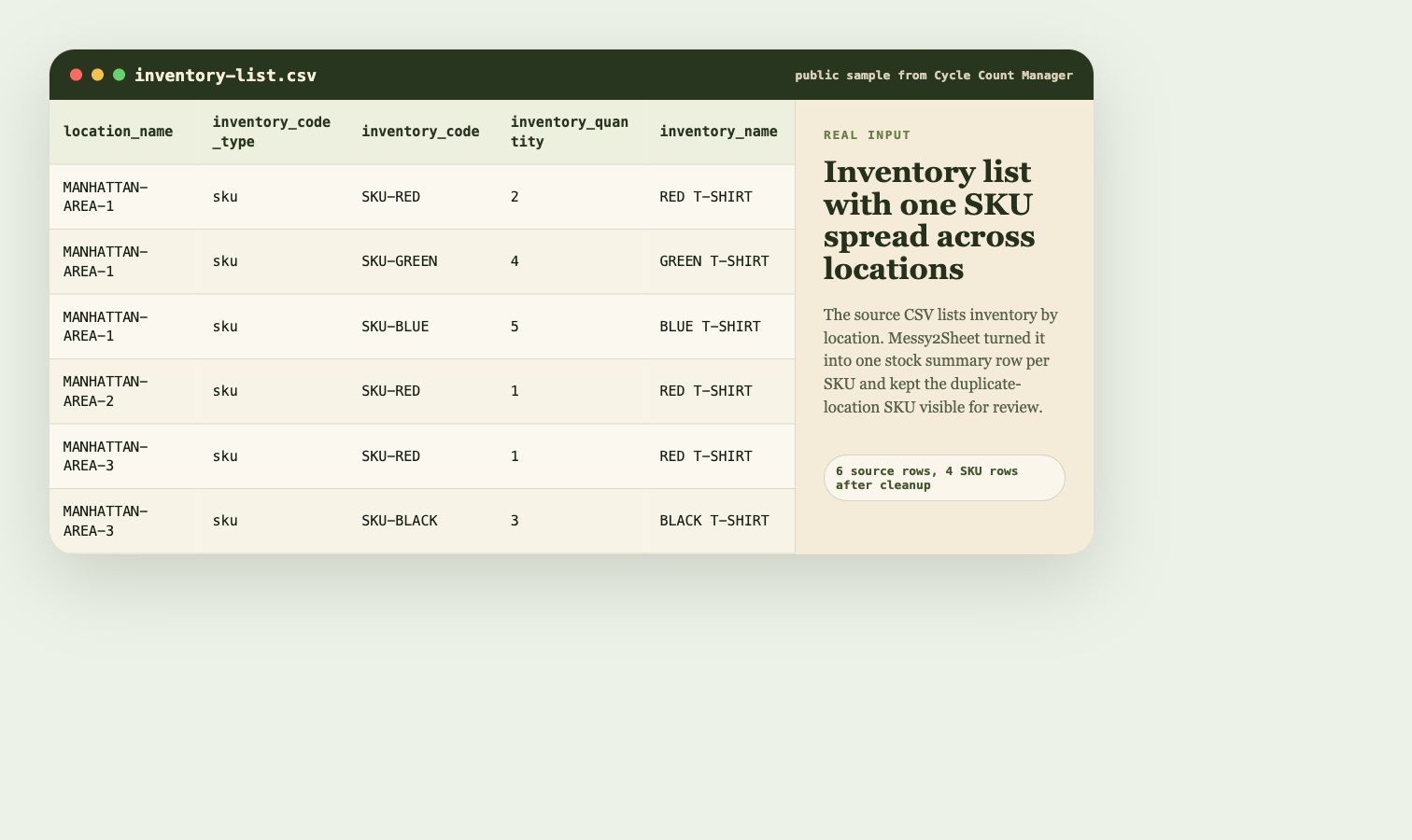
The output does not invent supplier, reorder level, cost, currency, or product category. Unsupported fields stay out of the CSV until a source file provides them.
| sku | product_name | total_quantity_on_hand | location_count | status | notes |
|---|---|---|---|---|---|
| SKU-RED | RED T-SHIRT | 4 | 3 | Needs review | Appears in 3 source locations. |
| SKU-GREEN | GREEN T-SHIRT | 4 | 1 | Ready | Single source location. |
| SKU-BLUE | BLUE T-SHIRT | 5 | 1 | Ready | Single source location. |
| SKU-BLACK | BLACK T-SHIRT | 3 | 1 | Ready | Single source location. |
This template is meant for teams that receive inventory data from more than one place: supplier files, warehouse counts, pasted SKU notes, or product catalog rows.
Upload inventory files or paste SKU notes. Template mode is already attached to the Inventory List Template.
Upload supplier lists, stock count sheets, cycle count CSVs, warehouse notes, product catalogs, PDFs, screenshots, or pasted inventory text. The Inventory List Template is already attached.
An inventory list template is a spreadsheet layout for SKU, item name, category, vendor, location, quantity on hand, reorder level, unit cost, price, inventory value, status, and notes.
Yes. The template is available as an XLSX file and includes an Inventory List sheet, Import Review sheet, Dropdowns sheet, and Instructions sheet.
Yes. Upload supplier lists, stock counts, CSV exports, PDFs, screenshots, or pasted inventory notes, then review the extracted rows before using the workbook.
No. This is a spreadsheet workflow for cleaning inventory data into Excel or CSV. It does not replace an inventory management system, barcode scanner, or ERP.